The best 4K monitor for home office use
Setting up the perfect home office goes beyond just finding a comfy chair or a spacious desk—it's about picking the right gear, too. A 4K monitor can transform your workspace, giving you more screen space, clearer text, and stunning visuals. Whether you're designing, coding, or attending meetings, the best 4K monitor for work from home can make a real difference in how you work. Let's dive into some top choices that offer a mix of great features and excellent value.
Best 4K Monitors for Work from Home
Best overall: Dell UltraSharp U2725QE
When it comes to the best 4K monitor for work from home, the Dell UltraSharp U2725QE is a standout. Its 27-inch screen offers a perfect balance of size for multitasking without overwhelming your desk. This monitor boasts fantastic color accuracy and a wide viewing angle, making it ideal for everything from spreadsheets to video calls.
Key Features:
- 27-inch 4K screen for ample workspace
- 99% sRGB color accuracy, ensuring vibrant, true-to-life colors
- USB-C with power delivery for a clean setup
- Adjustable stand for better ergonomics
It's an all-around winner for those who need solid performance and a professional look for their home office.
Best 32-inch: Dell U3225QE
For those who want more screen real estate, the Dell U3225QE is a great pick. This 32-inch 4K monitor gives you plenty of space for multitasking, reducing the need to constantly switch between apps or windows. Its color accuracy makes it a great choice for design and content creation professionals.
Key Features:
- 32-inch screen that expands your view for greater productivity
- 95% DCI-P3 color coverage for stunning visuals
- Pre-calibrated for accurate colors right out of the box
- Plenty of ports for seamless connectivity
The larger screen makes this an excellent choice for those who need to view multiple documents side by side or work with complex designs.
Best budget: ASUS ProArt Display PA279CRV
If you're on a budget but still want professional-grade quality, the ASUS ProArt Display PA279CRV is a fantastic option. It's a 27-inch 4K monitor that offers color accuracy out of the box, so you don't have to worry about manual calibration. Plus, it's affordable enough for anyone looking to upgrade their home office without breaking the bank.
Key Features:
- 27-inch 4K screen for clear, sharp images
- 100% sRGB color accuracy for precise color reproduction
- USB-C, DisplayPort, and HDMI for flexible connections
- Adjustable stand for better viewing comfort
It's perfect for creative professionals or anyone who values color accuracy but doesn't want to spend a fortune.
Best for color accuracy: Dell UltraSharp U2723QE
If color accuracy is a top priority for your work, the Dell UltraSharp U2723QE is one of the best 4K monitors for work from home. This monitor delivers exceptional color precision, covering 98% of the DCI-P3 color gamut. Whether you're editing photos or designing graphics, the U2723QE ensures that your work is displayed exactly as you intend.
Key Features:
- 27-inch 4K screen with impressive color accuracy
- 98% DCI-P3 color coverage for professional-grade visuals
- Ultra-thin bezels for a sleek look
- USB-C for easy connectivity
This monitor is a must-have for photographers, designers, and anyone who works with visual content that requires perfect color representation.
Best premium: ASUS ROG Swift OLED PG27UCDM
For those who want the absolute best, the ASUS ROG Swift OLED PG27UCDM offers premium 4K quality with OLED technology. It's a 27-inch monitor with stunning color contrast and incredible black levels. Although it's marketed as a gaming monitor, its high performance makes it great for work too—especially for anyone working with dynamic content like video editing or animation.
Key Features:
- 27-inch OLED display with perfect black levels and superior color contrast
- 0.1ms response time and 240Hz refresh rate, ensuring smooth visuals
- HDR support for bright, lifelike images
- Ultra-fast response time, ideal for content creators
If you're looking for the best of the best, this premium monitor delivers top-tier visuals, making it perfect for both work and entertainment.
How to Choose a 4K Monitor for Work from Home
Choosing the right 4K monitor for your home office depends on your specific needs. Here are some key factors to consider before making a decision.
Screen size
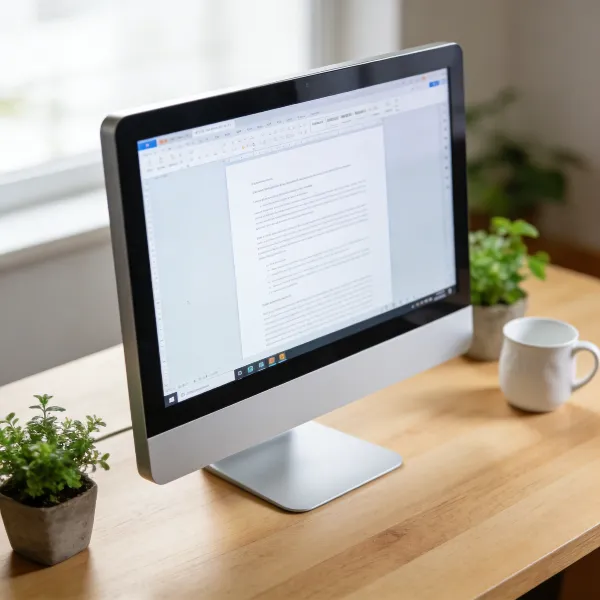
The right screen size is a personal preference, but it can significantly impact your productivity. A 27-inch screen is the sweet spot for most people—it's big enough to allow for multitasking without feeling overwhelming. If you want even more space, a 32-inch monitor might be ideal for working with multiple windows at once. Think about how much space you have on your desk and how many windows you want to manage simultaneously.
Connectivity
Connectivity is essential for a smooth work-from-home experience. USB-C is the most convenient option, especially for laptops, as it lets you transfer data, display video, and charge your device with one cable. HDMI and DisplayPort are also important for connecting to desktop PCs and other devices. Make sure your monitor offers enough ports to accommodate your setup.
Ergonomics
Comfort matters, especially if you're working long hours. A monitor with an adjustable stand allows you to set it to the perfect height and angle, reducing neck and eye strain. Look for models that offer tilt, swivel, and height adjustments so you can tailor the display to your personal comfort level.
Color accuracy and text clarity
Color accuracy is essential for anyone who works with graphics, photos, or video. A monitor with high color accuracy ensures that your work looks as it should, without any distortion. Text clarity is also crucial, especially if you're reading or writing for extended periods. A sharp 4K display will ensure that text is crisp and easy to read.
How to Set Up a 4K Monitor for Work from Home
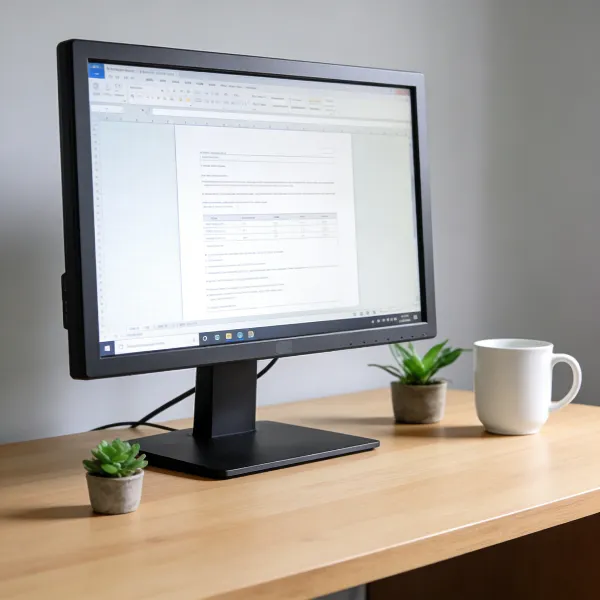
Setting up your 4K monitor properly will make your workspace more efficient and comfortable. Here are some simple steps to optimize your setup.
Set the right scaling level
With a 4K monitor, things can appear too small by default, especially if you're using a high-resolution display. Adjusting the scaling settings ensures that text and icons are a comfortable size without losing clarity. Most operating systems have a 150% scaling option for 4K displays, which works well for most users.
Adjust height and viewing angle
To prevent neck strain, adjust your monitor so that the top of the screen is at or just below eye level. You should be able to look straight ahead without tilting your head up or down. Tilting the monitor slightly upwards can also help you find a comfortable viewing angle that reduces strain on your eyes and neck.
Arrange windows for easier multitasking
One of the benefits of a 4K monitor is the extra screen real estate. To take full advantage, arrange your windows into a grid so you can see multiple apps at once. Consider using window management tools or built-in operating system features to split your screen and keep things organized.
Conclusion
Choosing the best 4K monitor for work from home is an investment that pays off in comfort and productivity. Whether you opt for the affordable ASUS ProArt Display PA279CRV or the premium ASUS ROG Swift OLED PG27UCDM, there's a 4K monitor for every need and budget. When picking a monitor, consider factors like screen size, connectivity, ergonomics, and color accuracy to make the right choice for your workspace. With the right monitor, you can create a productive and enjoyable work-from-home environment.