Best Computer Monitors for Reading
Reading on a computer for hours can be hard on your eyes, but with the right monitor, it doesn't have to be. Whether you're reading eBooks, studying, or working from home, having the best computer monitor for reading can make a huge difference. The right features—sharp text, eye-care tech, and ergonomic design—can help reduce strain and make reading more comfortable. In this guide, we'll help you find the best monitor to suit your needs.
What Makes a Computer Monitor Good for Reading
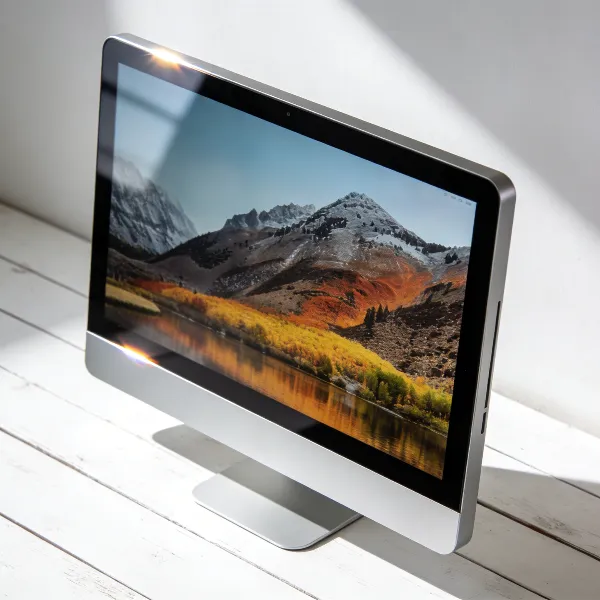
When you're choosing a computer monitor for reading, there are a few key things to look for. A monitor that offers crisp text, reduces glare, and prioritizes your eye comfort can make a world of difference. Here's what you should focus on:
Sharp Text
The clearer the text, the less you'll strain your eyes. A monitor with high resolution, like 4K or QHD, ensures that text appears sharp and crisp. This reduces the need to lean in or squint, making long reading sessions more comfortable.
Low Glare
Glare can be a real issue, especially if your monitor faces a window or overhead light. Monitors with anti-glare coatings or matte finishes help prevent reflections that can disrupt your reading experience. Less glare means fewer distractions and more focus on the text.
Eye-Care Features
Monitors with blue light filtering and flicker-free technology are game-changers when it comes to eye health. Blue light can cause fatigue and interfere with sleep, while flickering can cause strain over time. Choosing a monitor with these features will keep your eyes comfortable during long reading sessions.
Easy Height Adjustment
Comfort is key, and the ability to adjust your monitor's height makes a big difference. An adjustable stand lets you set your screen at the right level for your eyes, helping you avoid neck and back strain while reading.
Best Computer Monitors for Reading
Here are some of the best monitors for reading, each offering a combination of clarity, comfort, and value:
Best Overall: Dell UltraSharp U2725QE
If you want the best overall monitor for reading, the Dell UltraSharp U2725QE is a top choice. This 27-inch 4K display offers incredibly sharp text, perfect for reading everything from books to documents. It has a nearly bezel-less design, making it great for a clean, distraction-free workspace. Plus, it includes blue light reduction and flicker-free technology to protect your eyes during long sessions.
Best Large Screen: Dell U3225QE
For those who prefer a bigger screen, the Dell U3225QE is a great pick. This 32-inch monitor offers 4K resolution, making it perfect for reading, multitasking, and editing. The larger screen size allows you to view multiple documents side by side without feeling cramped. It also features low blue light settings and flicker-free tech for added eye comfort.
Best Budget: BenQ GW2486TC
If you're on a budget, the BenQ GW2486TC is a great option that doesn't skimp on quality. This 24-inch Full HD monitor offers sharp, clear text and features eye-care technology like blue light reduction and flicker-free performance. It's perfect for those who need a reliable monitor for reading without breaking the bank.
Best for Eye Comfort: BenQ PD2705Q
Designed with eye comfort in mind, the BenQ PD2705Q is a 27-inch 2K monitor that's perfect for long reading sessions. It reduces blue light and flicker, both of which contribute to eye strain. Its ergonomic stand lets you adjust the height, tilt, and swivel, allowing you to find the perfect reading position. The matte finish reduces glare, making it easier to read in different lighting conditions.
Best Adjustable Stand: Lenovo ThinkVision P27Q-40
If ergonomics are a top priority, the Lenovo ThinkVision P27Q-40 offers excellent height adjustment and a 27-inch 1440p display. The screen is sharp, and its slim bezels provide a minimalist design, while the ergonomic stand makes it easy to adjust to your preferred viewing height. Plus, it's equipped with blue light reduction features to protect your eyes during long reading sessions.
Best Screen Size and Resolution for Reading
The screen size and resolution you choose can impact your reading experience. Here's a quick guide to help you decide what's best for you:
24-Inch for Basic Reading
A 24-inch monitor is a great choice if you're mainly reading documents or browsing the web. With a Full HD (1920x1080) resolution, text will be crisp and easy to read without needing to zoom in. This size is also ideal if you have limited desk space.
27-Inch for the Best Balance
A 27-inch monitor offers the best of both worlds: it's big enough to provide ample screen real estate but not too large to feel overwhelming. A resolution of 2560x1440 (QHD) strikes the perfect balance, giving you clear text and enough space to work with multiple windows.
32-Inch for Larger Text and Split View
If you prefer larger text or need to work with multiple documents simultaneously, a 32-inch 4K monitor is the way to go. With a larger screen, you can split your workspace and read long documents without needing to scroll too much. The higher resolution ensures that the text remains sharp, even at larger sizes.
How to Make a Monitor Easier to Read
Once you have the right monitor, there are a few simple adjustments you can make to improve your reading experience:
Use the Right Scaling
Adjusting the scaling on your monitor can make text easier to read without having to zoom in constantly. Most operating systems allow you to customize this setting, so find a scaling that's comfortable for your eyes—whether it's 125%, 150%, or something else.
Lower Brightness and Contrast
Excessive brightness and high contrast can cause strain. Reducing the brightness to a comfortable level can help your eyes relax. Additionally, tweaking the contrast settings can improve text clarity without making the screen too harsh.
Reduce Reflections Around the Screen
Position your monitor to avoid glare and reflections from overhead lights or windows. A matte screen can help reduce reflections, but if you don't have one, adjusting your monitor's position or using curtains can minimize distractions and make reading easier.
Conclusion
Choosing the best computer monitor for reading can dramatically improve your comfort and reduce eye strain. Whether you're looking for a budget-friendly option or a premium 4K display, there's a monitor out there to suit your needs. Key features like sharp text, blue light reduction, and ergonomic adjustments are essential for making your reading experience more enjoyable. Consider these factors when selecting your monitor, and you'll find one that makes reading for hours a breeze.