The Best Monitor Size for Office Work
Choosing the best monitor size for office work can really make a difference in how comfortable and productive your workday feels. With so many options out there—whether you're eyeing a compact 24-inch or a more expansive 34-inch ultrawide—it's easy to feel overwhelmed. But don't worry! In this guide, we'll break down what factors to consider when choosing a monitor size, the best sizes for different tasks, and some ergonomic features that will make your office setup even better. Let's dive in and find the perfect monitor for your workspace!
Key Factors When Choosing a Monitor Size
When picking out a monitor for your office, it's not just about the size. Several factors come into play, including your available desk space, the type of work you do, and personal preferences. Let's take a closer look at the important factors to consider when choosing the best monitor size for your office.
Screen Size and Workspace
Start by thinking about the amount of space you have on your desk. A smaller monitor like a 24-inch will fit easily into tight spaces, while larger monitors, such as 32-inch or 34-inch models, require more room to avoid crowding your workspace. Measure your desk to make sure your new monitor fits comfortably without cramping your style. You want a monitor that works well in your space, not one that overwhelms it.
Resolution and Image Clarity
The resolution impacts how sharp and clear everything looks on your screen. For everyday office work, a 1080p resolution is usually enough to provide crisp, readable text and images. But for tasks that demand more detail, like editing photos or working with complex spreadsheets, you might want to look at 1440p or even 4K monitors. Higher resolutions are also great for multitasking, as they let you see more on screen without sacrificing clarity.
Panel Type and Color Accuracy
Different types of panels—like IPS, TN, and VA—have varying strengths in color accuracy and viewing angles. IPS panels are ideal if you need color precision, such as for design or video editing. These monitors offer vibrant colors and wide viewing angles, which means your work will always look great. On the other hand, TN panels are faster, making them more suitable for gaming than office tasks, but they lack the color accuracy of IPS displays.
Ergonomics for Comfortable Viewing
You'll spend hours staring at your screen, so comfort is key. Monitors with adjustable stands let you find the best height and angle, helping you maintain a natural posture and avoid neck or eye strain. Additionally, some monitors feature blue light filtering or flicker-free technology to reduce eye fatigue during long hours of work.
Recommended Monitor Sizes for Office Tasks
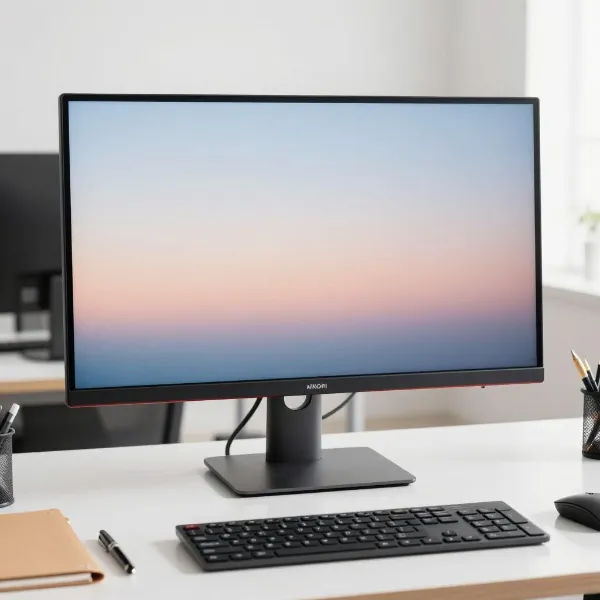
The best monitor size for your office tasks depends on what you do each day. Whether you're crunching numbers, designing graphics, or just checking emails, different monitor sizes work better for different kinds of work. Let's break down some of the best monitor sizes based on the tasks you'll be doing.
27-inch for General Office Work
For most office work, a 27-inch monitor strikes a great balance between having enough space for multitasking and not taking up too much room on your desk. This size is ideal for tasks like writing, browsing the web, and managing spreadsheets. It offers a nice, clear display at 1080p or 1440p, which helps you stay productive without feeling crowded by too much screen space.
32-inch and 34-inch for Multitasking and Creative Work
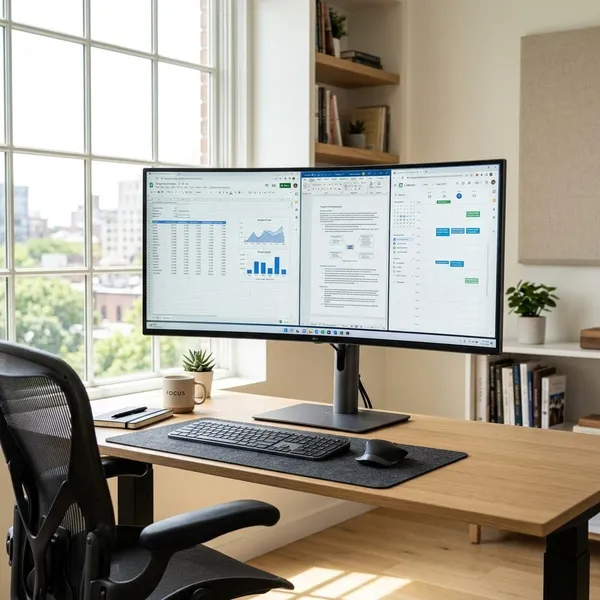
If you need extra screen space for multitasking or creative tasks, a 32-inch or 34-inch monitor is a fantastic choice. These larger monitors give you room to work with multiple windows open at once, allowing you to keep everything visible without having to switch between tabs. A 34-inch ultrawide is especially beneficial for creative professionals—like graphic designers or video editors—who need expansive real estate to handle large files and detailed projects.
24-inch for Compact and Budget-Friendly Spaces
If you have a smaller desk or are on a budget, a 24-inch monitor is a great option. It's small enough to fit comfortably in tight spaces but still offers enough screen area to handle basic tasks like email, word processing, and web browsing. With a 1080p resolution, a 24-inch monitor provides clear text and images, making it perfect for users who need a reliable, affordable monitor for everyday work.
Ideal Resolution for Office Monitors
Resolution determines how sharp and clear images appear on your screen. Higher resolutions offer more pixels, which means more detail and crisper text. Here's what you need to know about the best resolutions for office monitors.
1080p for Standard Office Work
For most office tasks, 1080p (Full HD) is more than enough. It's clear enough for writing, browsing the internet, and using office applications. If all you're doing is basic productivity tasks, a 24-inch or 27-inch monitor with 1080p resolution will give you sharp images without any unnecessary expense. This resolution also tends to be more affordable, making it a great choice for budget-conscious buyers.
1440p for Productivity
If you're multitasking or managing several documents at once, upgrading to 1440p (QHD) is a smart move. The extra pixels make it easier to see more content on your screen without scrolling or resizing windows. A 27-inch monitor with 1440p resolution gives you the perfect balance of clarity and screen space, improving productivity and making tasks like spreadsheet work or document comparison easier.
4K for Creative Work
Creative professionals—whether you're working with high-resolution images, video editing, or design—should consider a 4K monitor. With four times the resolution of 1080p, a 4K monitor offers stunning clarity and detail, allowing you to see every pixel. If you're using a 32-inch or larger display for creative work, 4K is almost a necessity, providing precise details for photo retouching, video editing, and graphic design.
Ergonomics and Features to Consider
Long hours at your desk mean that comfort is just as important as screen size and resolution. These ergonomic features will make a big difference in your day-to-day comfort.
Adjustable Monitors
Monitors with adjustable stands make a world of difference when it comes to comfort. You can adjust the height, tilt, and even rotate the screen, helping you find the perfect position to avoid neck and back strain. This flexibility allows you to set up your monitor to match your body's natural posture, whether you prefer a higher or lower screen angle.
Eye Care Features
Spending hours in front of a screen can lead to eye strain, but modern monitors come with several features to help reduce that. Look for monitors with blue light filtering to reduce eye fatigue, especially if you work late into the evening. Flicker-free technology also helps prevent headaches caused by screen flickering. Additionally, some monitors offer anti-glare coatings to reduce reflections and make viewing easier, even in bright environments.
Conclusion
The best monitor size for office work really comes down to how much space you have, what you're doing, and your personal comfort preferences. If you need a compact setup, a 24-inch monitor will do the trick, while a 27-inch monitor is perfect for general office tasks. For multitaskers or creative professionals, larger 32-inch or 34-inch monitors are ideal for managing multiple windows or handling detailed projects. Don't forget to consider resolution, ergonomic features, and eye care technology to ensure you get the most out of your new screen!